Stats · The numbers behind your story
See how far you've come.
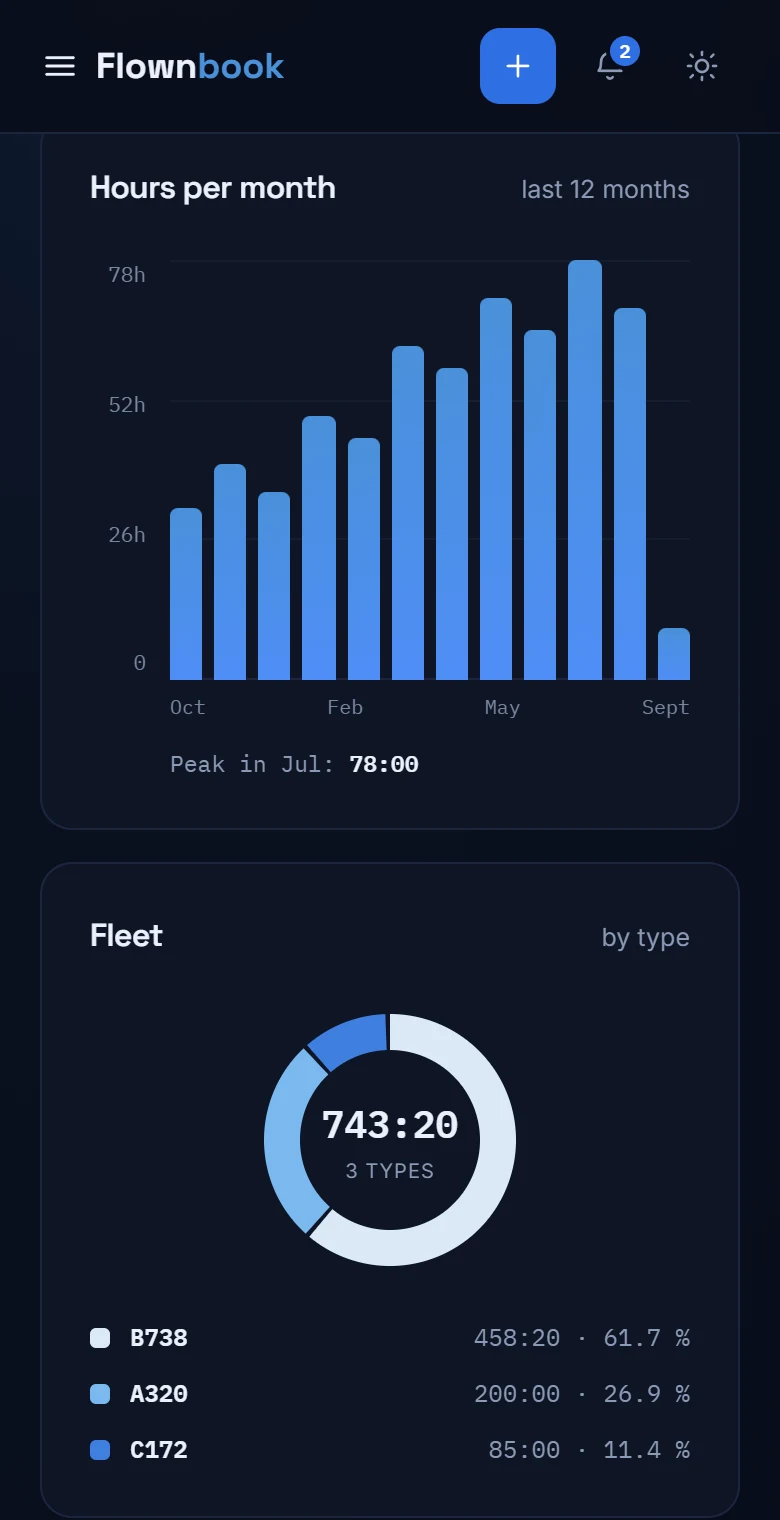
Hours, fleet, monthly activity and the destinations you return to most. Your entries become a clear view of your career.
WHERE TO FIND ITMain menu → Stats
Enlarge image ↗
Step by step
How to use
Stats.
Open the app and follow along.
Choose your view
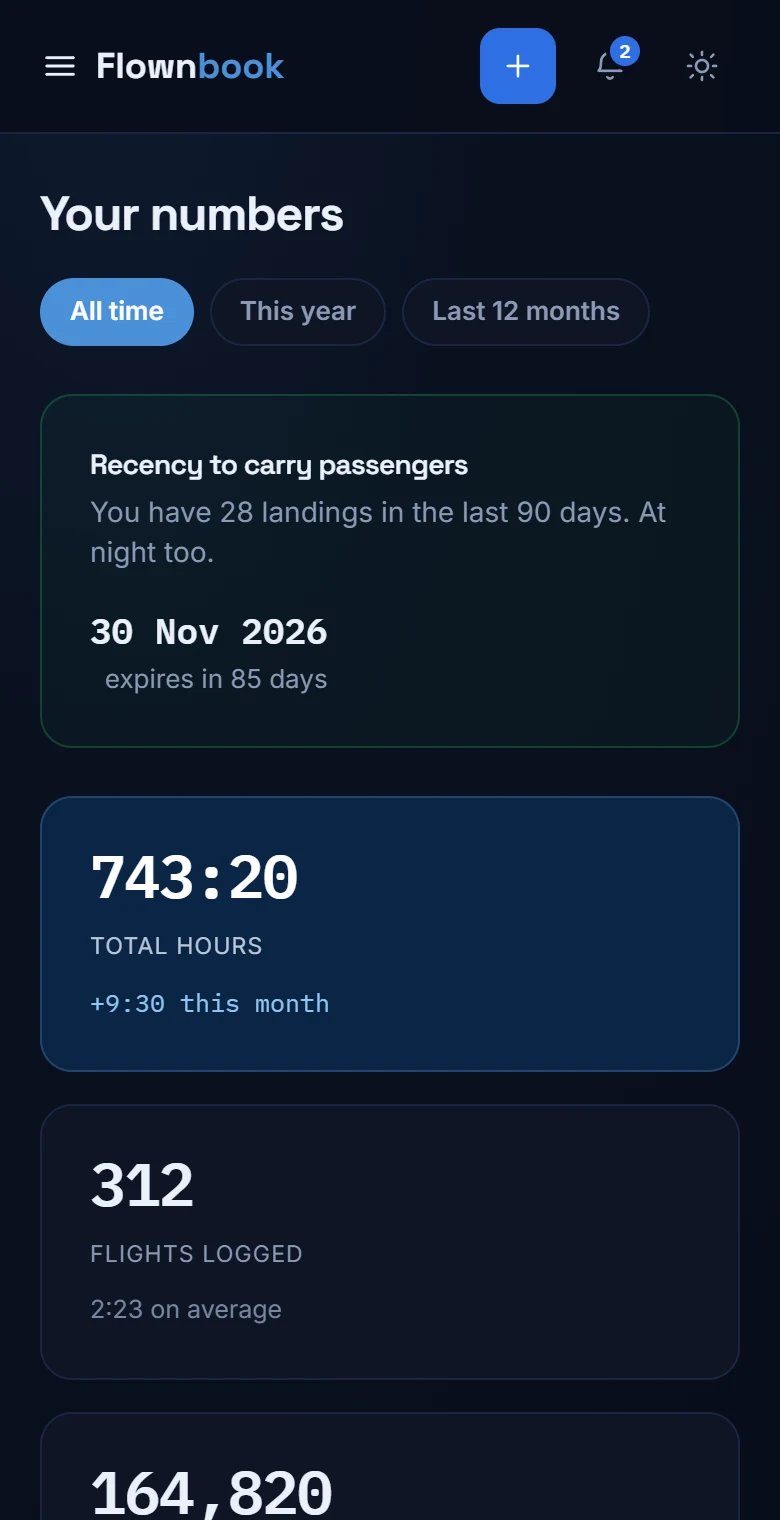
Switch between “All time”, “This year” and “Last 12 months”. The screen recalculates the figures and charts for the selected period.
Explore your hours
See total, PIC, night and instrument time. Go through the monthly activity and the split by aircraft type to see where you're building experience.
Discover your regulars
Further down you'll find fun facts such as your most visited airport, the aircraft you fly most and your most repeated route.