
Profile & Career · Much more than a number of hours
Your story has a name.
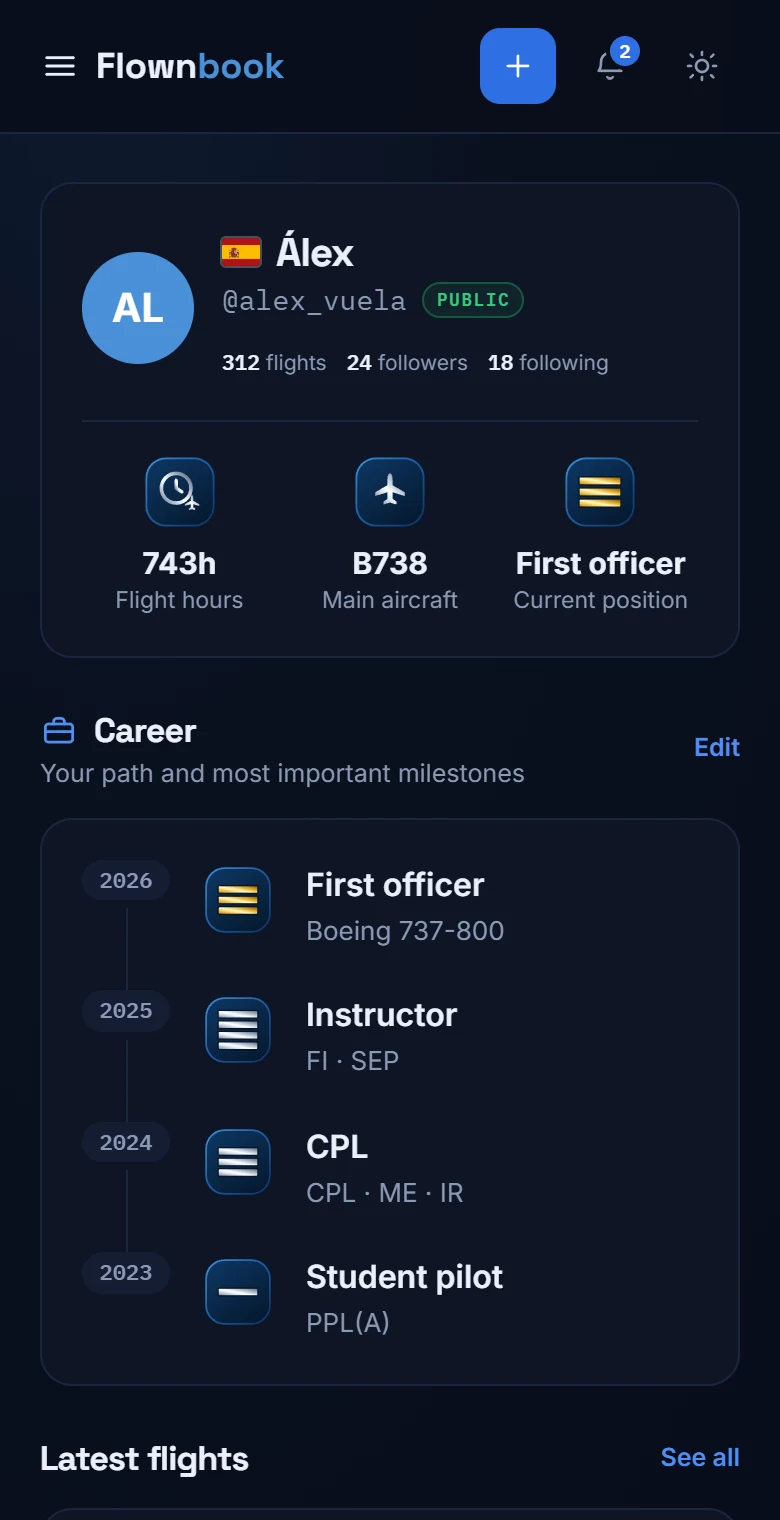
Your identity as a pilot, your flights and the stages that brought you here. From your first licence to your current position.
WHERE TO FIND ITMain menu → Your profile
Enlarge image ↗
Step by step
How to use
Profile & Career.
Open the app and follow along.
Introduce yourself to the community
Your profile shows your name, photo, country, followers and flights. You can change your photo from this screen and edit your personal details in Settings.
Build your Career
Tap “Edit” in Career to add or review a milestone. Enter its date, type, title and description, and mark your current position when it applies.
Connect with other pilots
See who follows you and who you follow, search for people and answer pending requests. Your recent flights appear next to your career.