
Footprint · Flight Footprint
Some stories are told on a map.
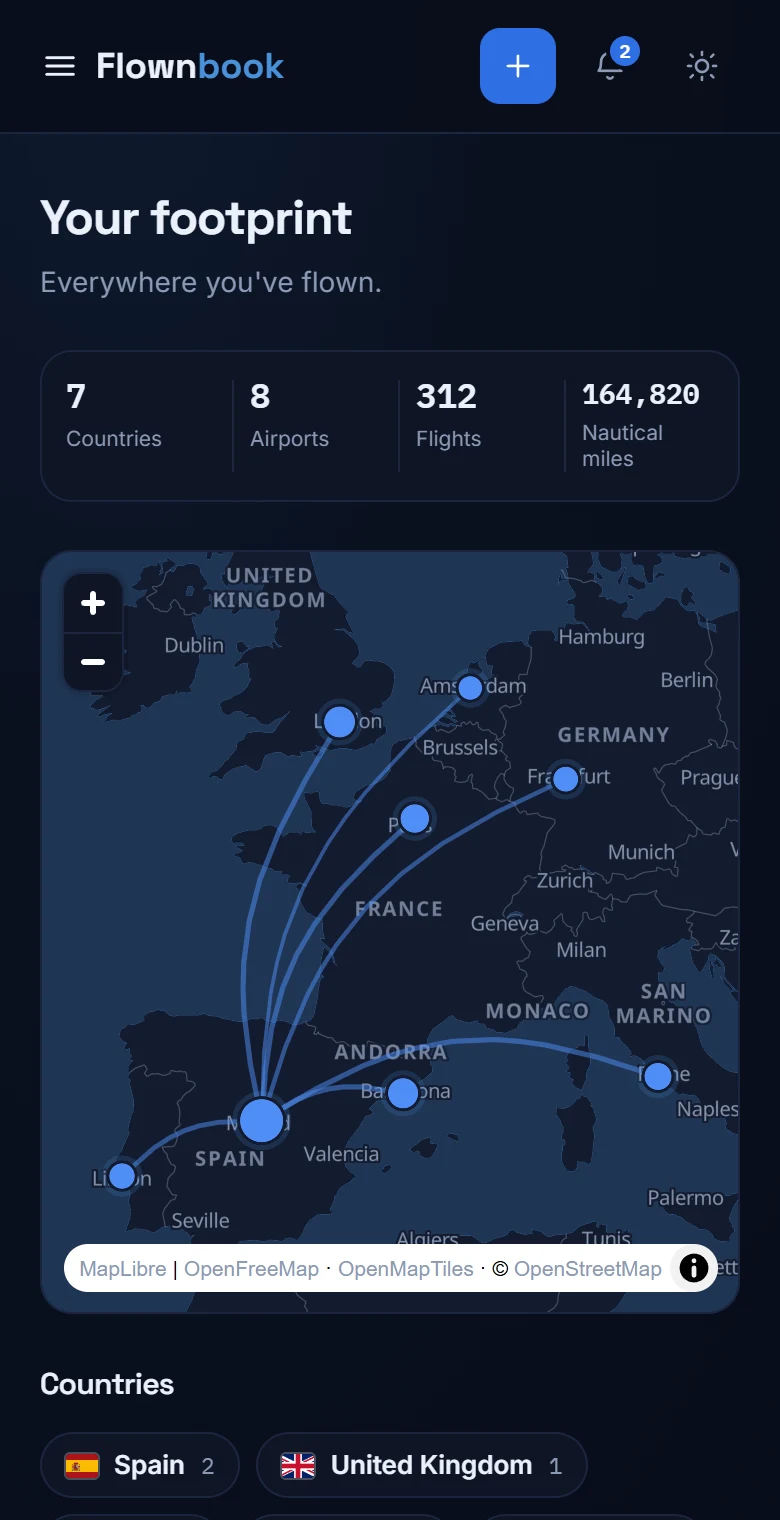
See the airports, countries and routes that make up your career. Every new destination leaves its mark.
WHERE TO FIND ITMain menu → Footprint
Enlarge image ↗
Step by step
How to use
Footprint.
Open the app and follow along.
Open your map
The header sums up countries, airports, flights and nautical miles. The map zooms to fit the airports in your entries.
Explore an airport
Zoom or pan the map and tap an airport to see its details. The lines connect the routes you've flown.
Go through your destinations
Below the map you'll find the countries and the list of airports. If an airport can't be located yet, the app shows a notice.